[Spring Boot] How to create new spring boot project with customizing
1. Using existing Homepage https://start.spring.io/
- Setting Project, Language, spring boot version, and dependency

- Click Generate the project to download with .Zip and unzip as folder
- Open folder with Development tool(like IntelliJ, Eclipse)
2. Using IntelliJ
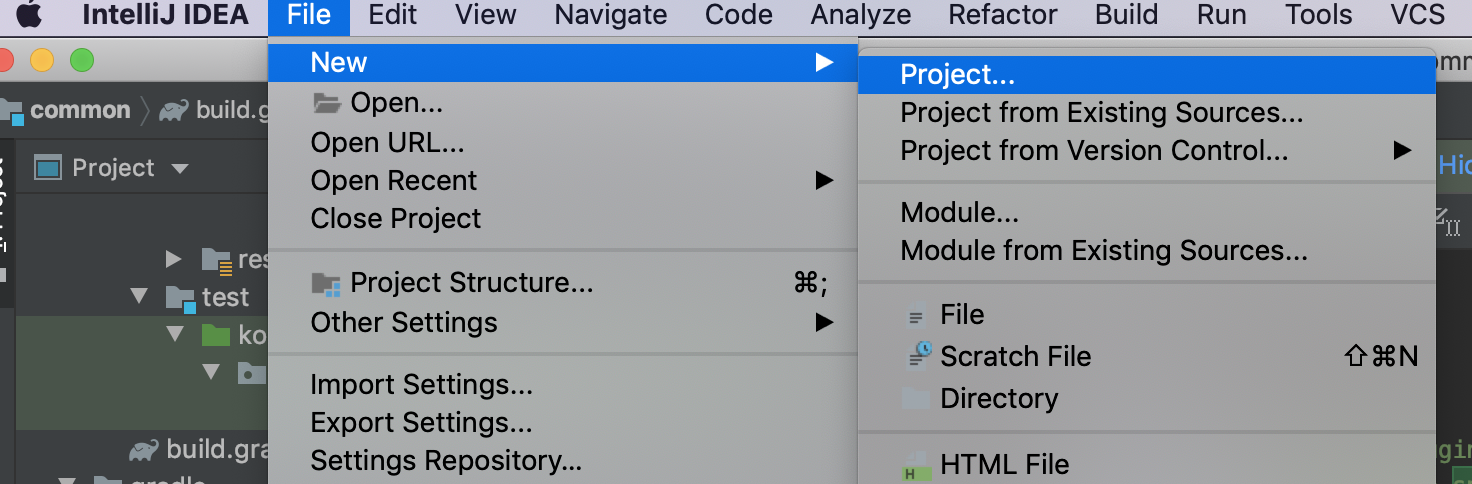
- Go File -> New -> Project
- Choose Spring Initializr

- Choose Type, Language, dependency

- create Project Automatically

And https://mvnrepository.com/artifact/org.springframework/spring-context/4.3.22.RELEASE
Maven Repository: org.springframework » spring-context » 4.3.22.RELEASE
org.springframework spring-context 4.3.22.RELEASE // https://mvnrepository.com/artifact/org.springframework/spring-context compile group: 'org.springframework', name: 'spring-context', version: '4.3.22.RELEASE' // https://mvnrepository.com/artifact/org.spr
mvnrepository.com
This link will useful to search dependency among plugin.